DevDock Logo

Your dev toolkit,
one click away

19 essential developer tools in a Chrome side panel. JSON Formatter, JWT Decoder, Base64, Regex Tester, Diff Checker, UUID Generator — all in one click.
Offline and instant.

19
Dev Tools
0ms
Startup Lag
0 KB
Data Sent
WHY DEVDOCK

Built for developers who
value their time

19 Tools, One Click

Every developer tool you reach for daily, packed into a single sidebar. No tab-hopping, no bookmarks, no context switching.

100% Offline

Every tool runs entirely in your browser. No servers, no API calls, no data leaves your machine. Period.

Side Panel

Lives in Chrome’s side panel — always one keyboard shortcut away. Work alongside any page without losing focus.

Lightning Fast

Zero startup lag. Tools load instantly with lazy-loaded components. No spinners, no waiting — just results.

Dark & Light Themes

Beautiful dark-mode-first design that respects your system preferences. Easy on the eyes at 2 AM.

Keyboard First

Toggle DevDock with Ctrl+Shift+D (or ⌃⇧D on Mac). Power users never leave the keyboard.

ALL TOOLS

19 tools, zero bloat

Every tool a developer reaches for, organized into four categories.

ENCODE / DECODE
🔑
JWT Decoder
Decode and inspect JWT tokens with one paste
B64
Base64
Encode and decode Base64 strings
%
URL Encoder
Encode and decode URL components
&;
HTML Entities
Escape and unescape HTML entities
FORMAT
{ }
JSON Formatter
Format, validate, and minify JSON instantly
.*
Regex Tester
Test regular expressions with live matching
Diff Checker
Compare two text blocks with highlighting
YAML ↔ JSON
Convert between YAML and JSON formats
MD
Markdown
Live markdown editor with split preview
Size Analyzer
Analyze JSON size breakdown by key
GENERATE
#
UUID Generator
Generate UUID v4 identifiers instantly
Hash Generator
Generate MD5, SHA-1, SHA-256 hashes
Color Picker
Convert between HEX, RGB, and HSL
Cron Builder
Build and preview cron expressions visually
🔒
Password Generator
Generate secure passwords with custom rules
Lorem Ipsum
Generate placeholder text quickly
TRANSFORM
Timestamp
Convert between Unix and human-readable time
Aa
Case Converter
Convert strings between camelCase, snake_case & more
🌐
Timezone
Convert time between timezones worldwide
PREVIEW

See it in action

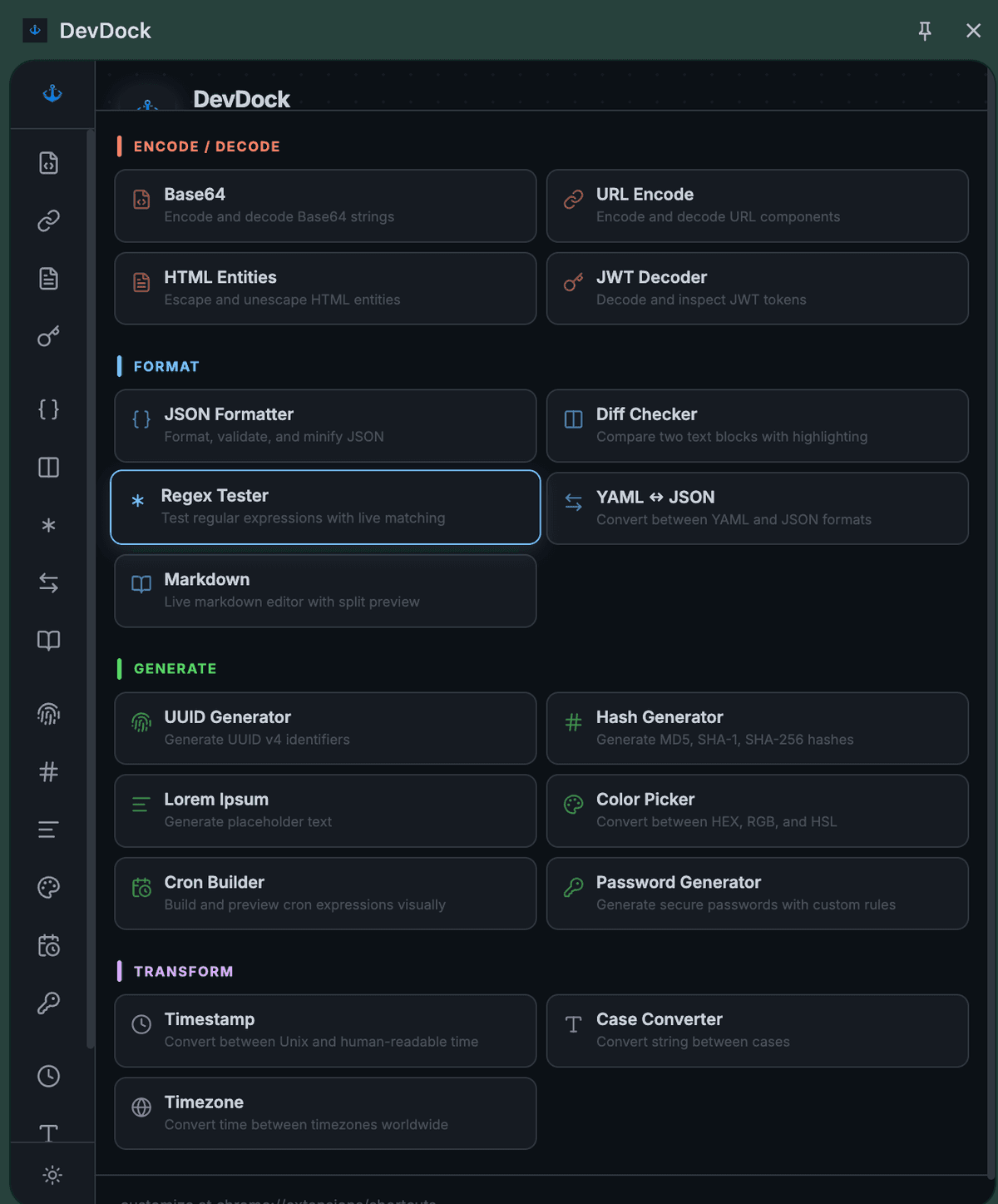
DevDock lives in your browser's side panel, always one shortcut away.
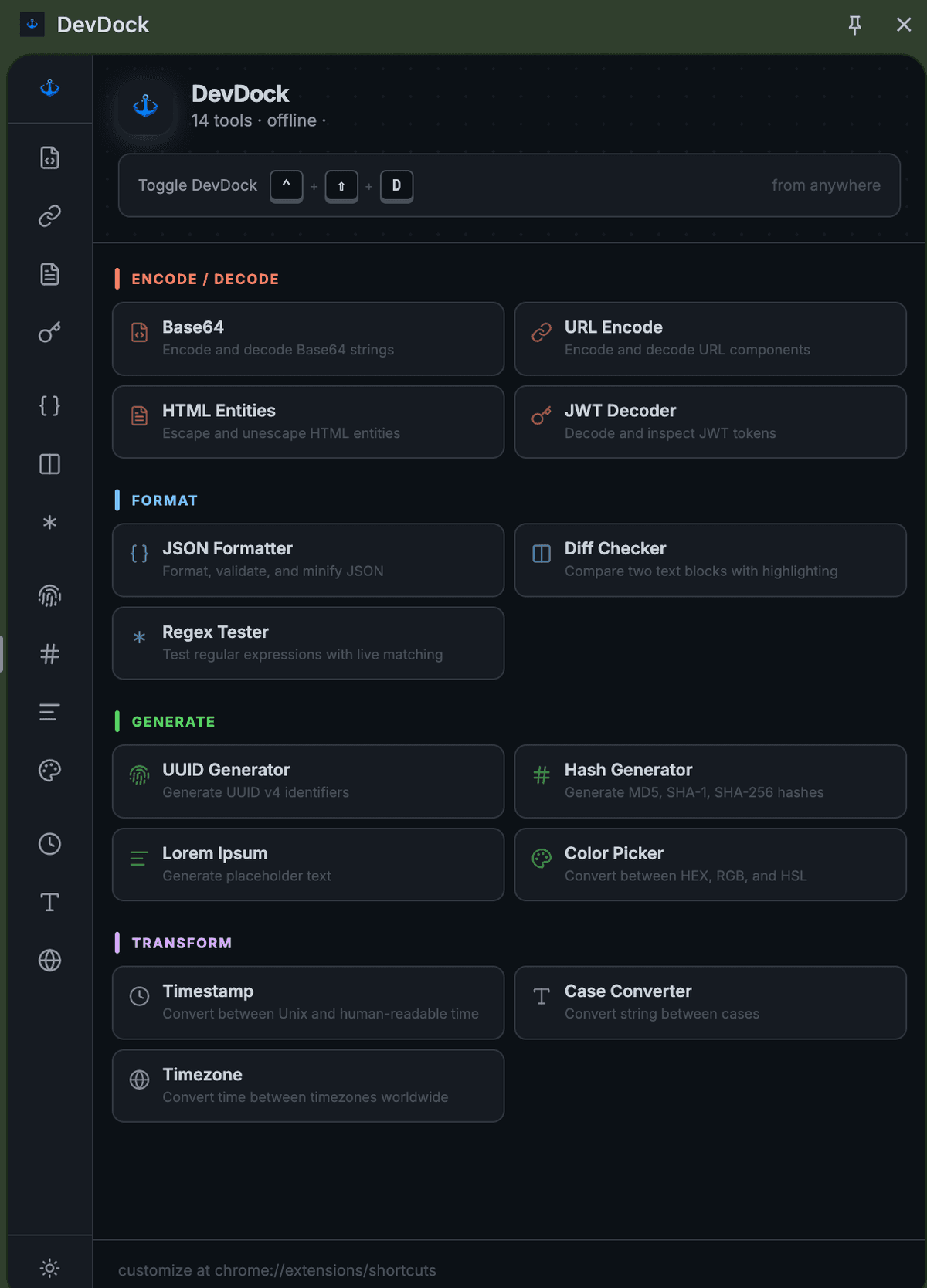
DevDock extension showing all developer tools in a grid layout
DevDock extension showing all 19 tools organized by category
FAQ

Frequently asked questions

Everything developers ask before installing DevDock.

Is DevDock free?

Yes. DevDock is free forever — no paid tier, no in-app purchases, no accounts required.

Does DevDock work offline?

Yes. Every tool runs entirely inside your browser. There are no servers, no API calls, and no data ever leaves your machine. You can use it on a plane.

Which browsers are supported?

Any Chromium-based browser: Google Chrome, Brave, Microsoft Edge, Arc, Opera, and Vivaldi.

What tools are included?

19 tools: JSON Formatter, JWT Decoder, Base64 encoder/decoder, Regex Tester, Diff Checker, UUID Generator, Hash Generator (MD5, SHA-1, SHA-256, SHA-512), URL Encoder, HTML Entities, Color Converter, Timestamp Converter, Case Converter, Timezone Converter, YAML↔JSON, Cron Builder, Password Generator, Markdown Editor, Lorem Ipsum, and JSON Size Analyzer.

How do I open DevDock?

Press Ctrl+Shift+D on Windows/Linux or ⌃⇧D on Mac to toggle the side panel, or click the DevDock icon in your browser toolbar. Use Ctrl+K to search across all tools.

Is it safe to paste a production JWT or internal JSON?

Yes. DevDock decodes, hashes, and formats everything locally inside your browser. It makes zero network requests, so sensitive data like production JWTs, API responses, or secrets never leave your machine.

How is DevDock different from jsonformatter.org, jwt.io, or diffchecker.com?

Those are separate single-purpose web pages you have to open in new tabs. DevDock bundles the same 19 tools into your browser's side panel, runs them offline, and is always one keyboard shortcut away.
DevDock

Stop juggling bookmarks.
Start shipping faster.

Join developers who use DevDock to skip the tab-switching and get straight to the answer. Free forever.

Add to Chrome — It's Free